Job Tracker
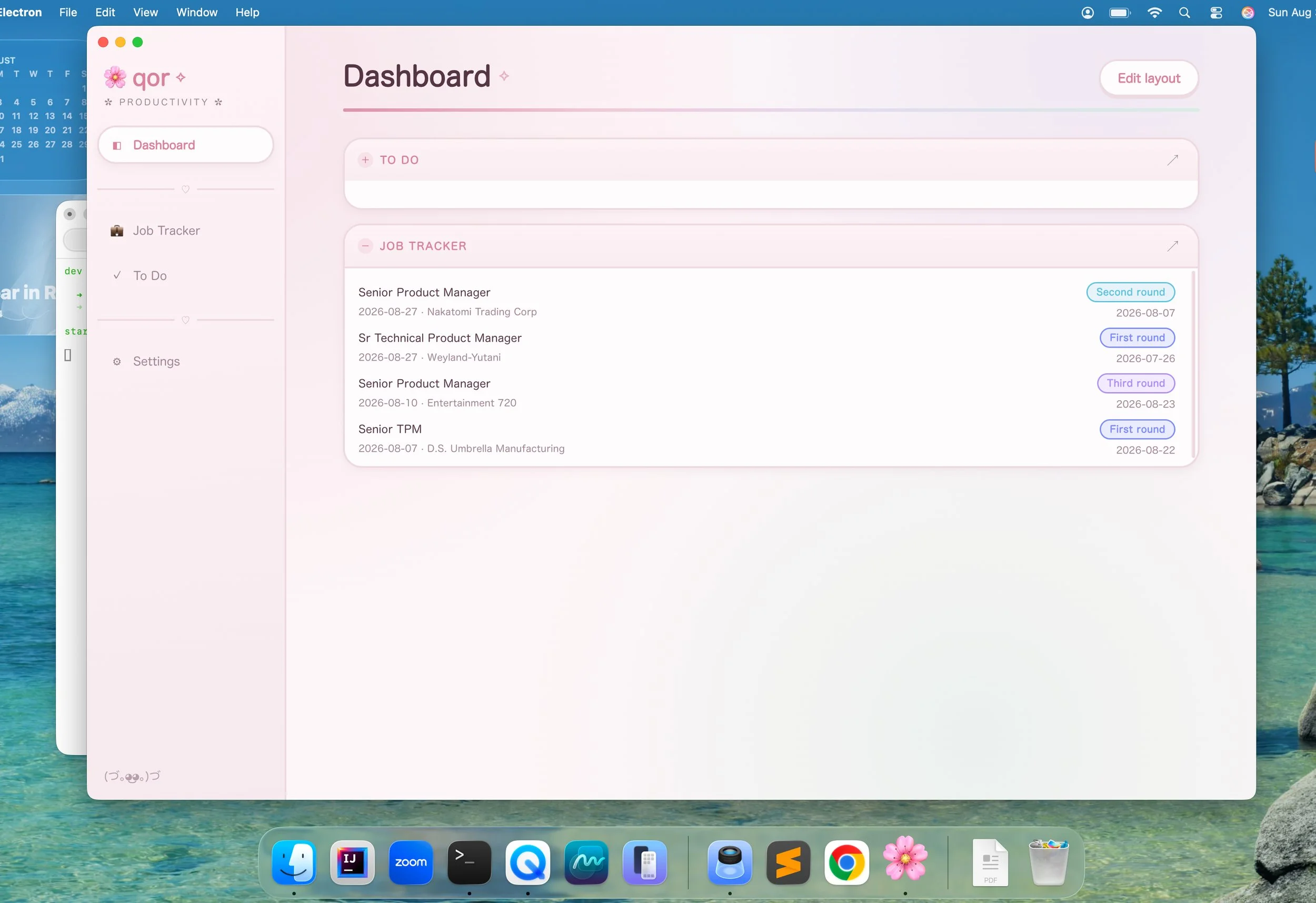
A feature inside qor.
Problem: If you're job hunting while collecting unemployment, most states don't just ask you to look for work — they require you to prove it, every week, in a specific format: what you did, when, who it was with, and how. New York's Department of Labor can audit that record at any time, and a spreadsheet or a notebook doesn't hold up well to "show me last Tuesday."
When I looked into potentially filing for unemployment at some point, I realized I would eventually need a really detailed log of my activity and it seemed like a pain to try to recreate all the dates and times or keep a spreadsheet. The more I read into what's actually required, the more it looked like a real, underserved problem: existing job-tracking tools are built for the applicant's own use, not for producing the specific dated, itemized record a caseworker needs on demand.
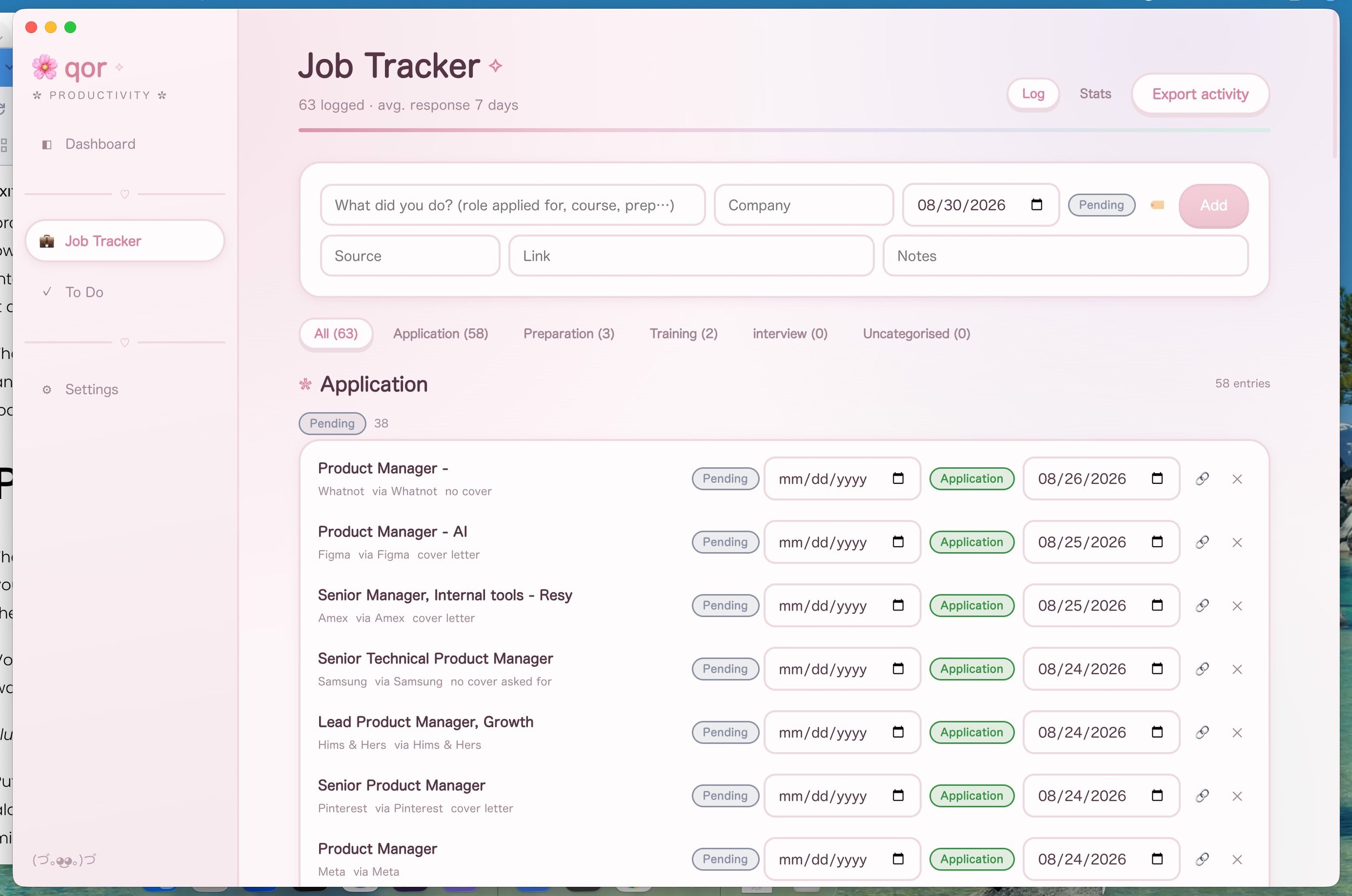
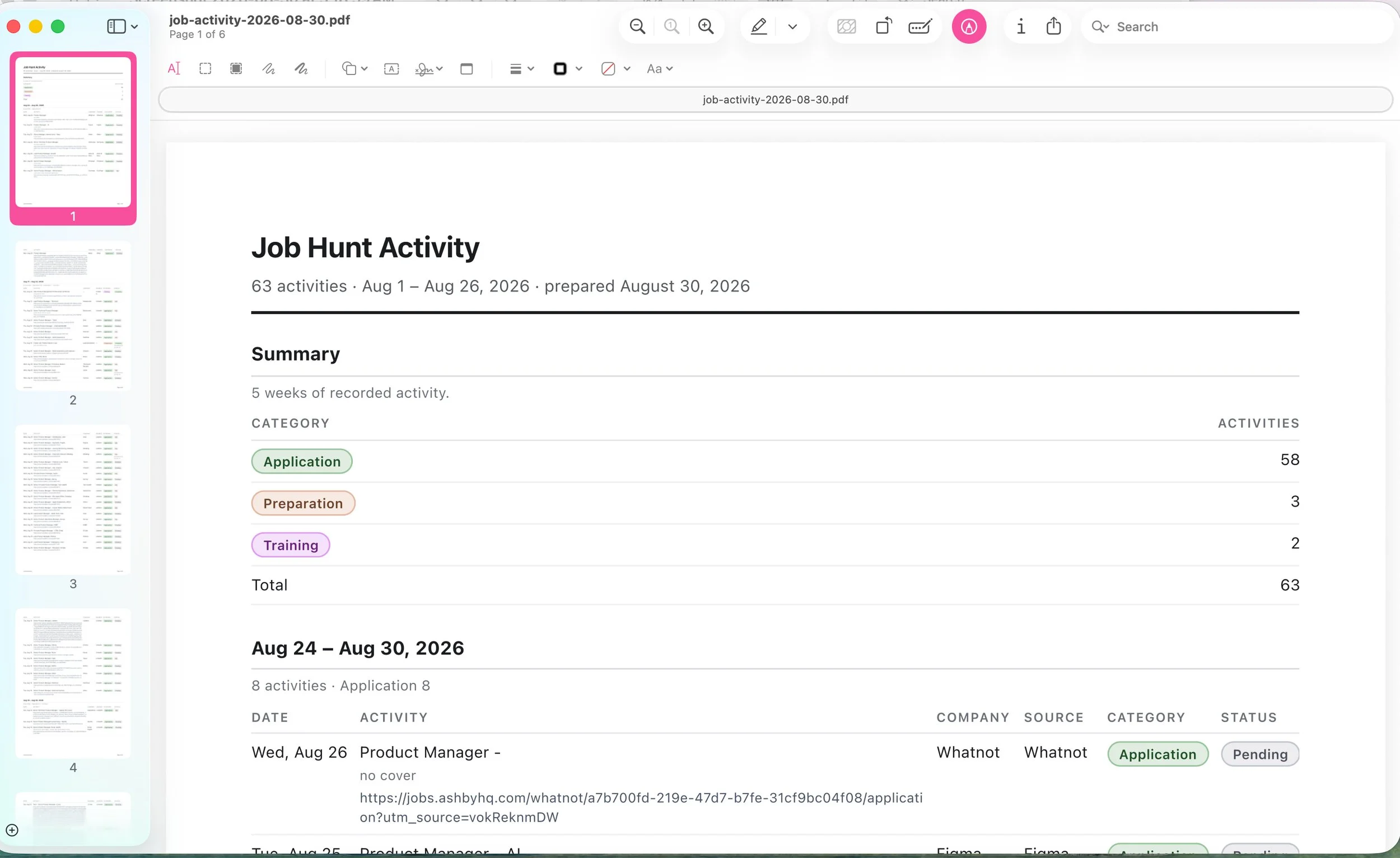
Solution: Job Tracker. Log what you did as you do it — an application, a workshop, a networking call — and it produces two different things from the same data: a stats view for you, and a week-by-week PDF export shaped like exactly what a caseworker asks for, one click away.
| Date | Activity | Company | Source | Category | Status |
|---|---|---|---|---|---|
| Aug 26 | Senior Technical PMReferral from a former colleague | Northwind Health | Referral | Application | First roundScheduled 8/28 |
| Aug 25 | Senior PM, Platform | Arcadia Labs | Application | Pending | |
| Aug 24 | Mock interview practice2 hrs, career coach | — | — | Preparation | — |
Illustrative sample — not real activity data.
Implementation Notes
Every logged activity carries what a work-search record actually needs: a date, what was done, who it was with (company), where it came from (source — the board, the referral, the site), a status, and a link or notes for anything that needs a receipt. Nothing here is application-only — three categories ship by default, because New York's work-search rules count more than just applying: workshops, résumé counseling, and skills training toward the weekly requirement too.
Status isn't a single field, either — it's a timeline. Every change to an activity's status is recorded with when it changed and, separately, whatever's scheduled for that status.
Pending, Aug 25→First round, Aug 26→Scheduled, Aug 28
"When this changed" vs. "what's coming up because of it" — that split is what lets the export show "First round · Scheduled 8/28" without any extra data entry.
How It Works
The export isn't a dump of the log — it's built around the one constraint that actually matters here: DOL requires proof by week. Every activity is bucketed into the calendar week it happened in, newest first, and each week gets its own heading, its own category breakdown, and a full row per activity. Anything logged without a date gets pulled into its own "No date recorded" section instead of silently vanishing from a week's count — the export is only useful if it accounts for everything.
The same report renderer that draws Job Tracker's exports draws every feature's PDFs in qor — sections, columns, and cells, styled once regardless of which feature is asking. The one thing Job Tracker does with that is genuinely load-bearing: this document has to be legible on paper to someone who isn't you and doesn't use qor.
Product Decisions
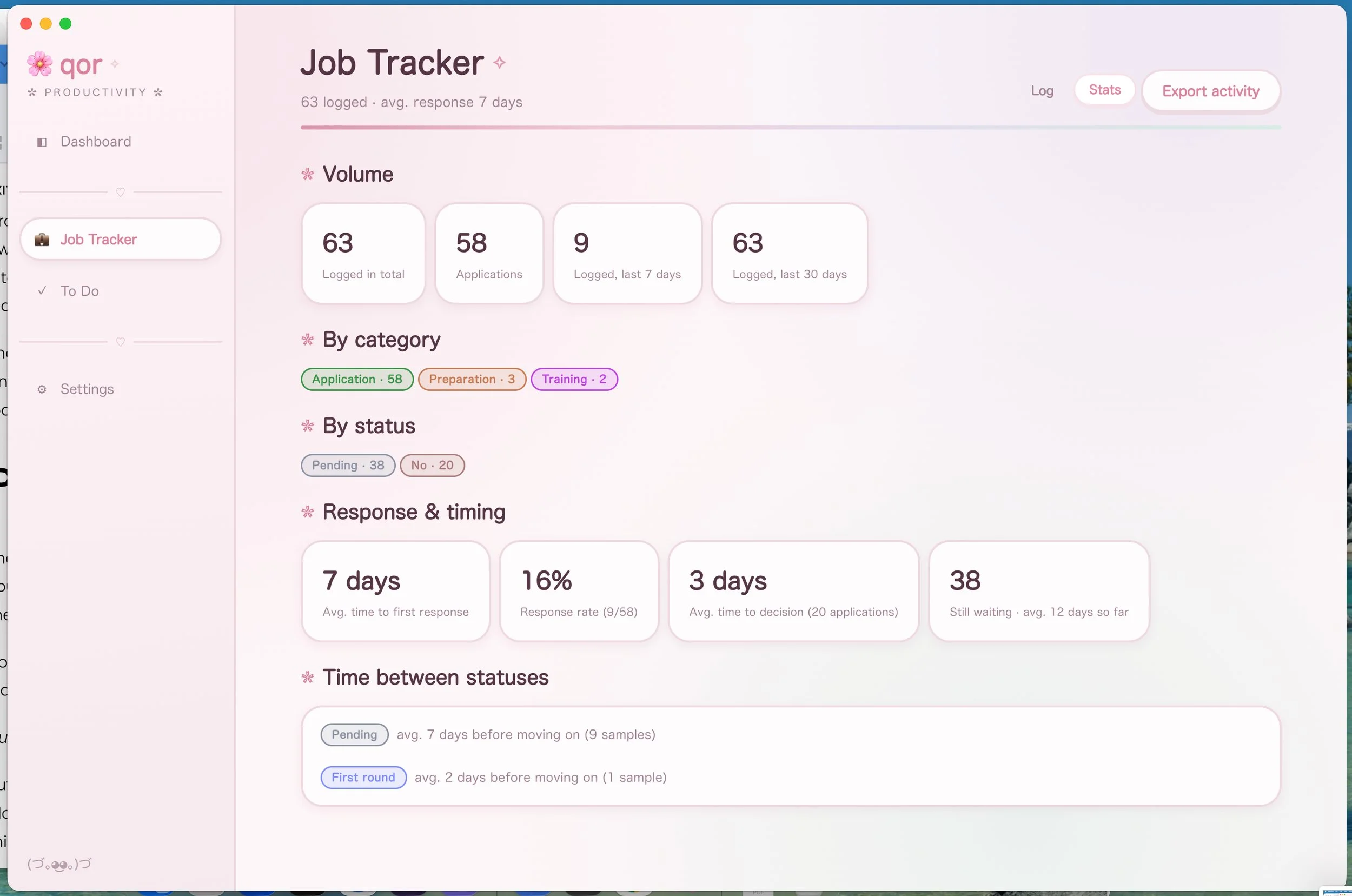
The week-bucketed report was the actual design decision, not a stats dashboard — a caseworker doesn't want your response rate, they want "here's what I did the week of the 24th." So that's the structure the export leads with; the numbers below exist as a separate view for your benefit, not theirs — same data, two audiences.
Volume: 7 logged in the last 7 days. Response rate: 62% (8 of 13). Average time to first response: 4 days. Still waiting: 3.
Illustrative sample — not real activity data.
Putting the scheduled date for the current status right next to the status in the export was deliberate: "First round" alone tells a caseworker nothing about follow-through, but "First round · Scheduled 8/28" is evidence you're actually mid-process, not just applying and going quiet.
The Future
Built for New York's rules first, on purpose — a state-specific export format for other states is a real future feature, not a launch requirement. Most of what a caseworker anywhere wants is the same shape (dated, itemized, weekly); New York's is just the version I actually researched.
The Basic Specs
→ Fields: date, activity, company, source, category, status, status history (with per-status scheduled dates), notes, link
→ Categories: Application, Preparation, Training — matched to what NY DOL work-search rules count, not just "applied or didn't"
→ Export: one-click PDF, grouped by calendar week, with a per-week category breakdown and an undated section so nothing drops from the record
→ Stats view: volume (total, applications, last 7/30 days), by category, by status, response rate, avg. time to first response, avg. time to decision, avg. time between statuses, still-waiting count
→ Report styling is fixed regardless of your qor theme — a record read by someone else doesn't change look depending on what theme you're in that day