qor
A desktop shell for small AI-powered tools, built so the tenth feature costs as little as the first.
Problem
Every small AI-powered tool I wanted to build — a to-do list, a job tracker, whatever comes next — needed the same handful of things: somewhere to save data, a way to back it up, a dashboard to see it at a glance, and a call out to Claude. Building each one as its own app meant rebuilding all of that, every time, before getting to the part that actually mattered.
Solution
qor. An Electron desktop app that isn't really one app — it's a shell (theming, storage, backups, a dashboard, Claude access) that features plug into without touching any of it. Everything lives in local JSON on your own machine; there's no server and no database, so there's nothing to host and nothing of yours leaves your laptop.
Implementation Notes
qor is under active, near-daily development as of August 2026.
Two features ship today: To Do, where Claude triages your list by urgency on request, and Job Tracker, which logs applications, prep, and training by category and status, with response-rate stats and a PDF export of your activity.
Three themes ship with it — deliberately unalike, because that mismatch is the actual test that a feature hasn't secretly hardcoded a color somewhere.
How It Works
The whole extension model rests on one contract: a theme is a set of components plus design tokens, every theme implements the same contract, and a feature is built exclusively from useUI() — it never writes a color, a font, or a layout rule itself.
That's what lets the same Job Tracker render as a dense dark dashboard in Midnight and a plain typographic list in Paper without a single line of Job Tracker code caring which one is active. A theme that's missing a component still loads — core quietly substitutes the default theme's version and flags it "Partial" in Settings, rather than breaking.
A feature registers itself by existing: drop a folder in features/, default-export defineFeature(), and it shows up — no manifest to edit, no import to wire up by hand. Each feature can offer up to three views and doesn't have to build all of them: a full Page, a Widget for the dashboard, and a Settings panel — core decides where each one mounts, and a feature that skips Widget just has no dashboard presence.
Product Decisions
Claude access is one call — claude.ask() — sitting behind two interchangeable providers: the local Claude Code CLI, which rides your existing subscription with no API key at all, or the Anthropic API for anyone who'd rather use a key. Features never know which one answered.
Backups run on two different cadences on purpose, not by accident: content is snapshotted every 15 minutes (48 kept), because it changes constantly, while configuration is snapshotted every 12 hours (20 kept), because it barely changes at all. Restoring a snapshot takes a snapshot of the current state first — so undoing a restore is itself just another restore.
Reports get the same "describe, don't draw" treatment as the screen — a feature hands over a document of sections, columns, and cells, and the PDF renderer styles it, not the feature. The one deliberate exception: the PDF renderer ignores whichever theme is active. A report leaves the app behind when it leaves your screen, so it has to stay legible on paper no matter what qor happens to be wearing that day — you don't want your job-search activity report exported in Midnight's near-black-on-black.
The Future
The Basic Specs
- Stack
- Electron, React, TypeScript — build tooling is electron-vite
- Storage
- Local JSON only — no database, no server, nothing leaves your machine
- Claude access
- Local Claude Code CLI (your subscription, no key) or the Anthropic API (optional, your key) — features don't know or care which
- Themes
- Midnight (dark), Paper (light, typographic), Kawaii
- Features
- To Do (Claude-triaged task list), Job Tracker (pipeline stats + PDF export)
- Backups
- Content every 15 min (48 kept), config every 12 hrs (20 kept) — a restore snapshots current state first
- Source
- Managed via git — link it here if the repo's public, otherwise cut this row
- Build time
- About two weeks — worth stating explicitly if AI-assisted development is part of the story this page should tell
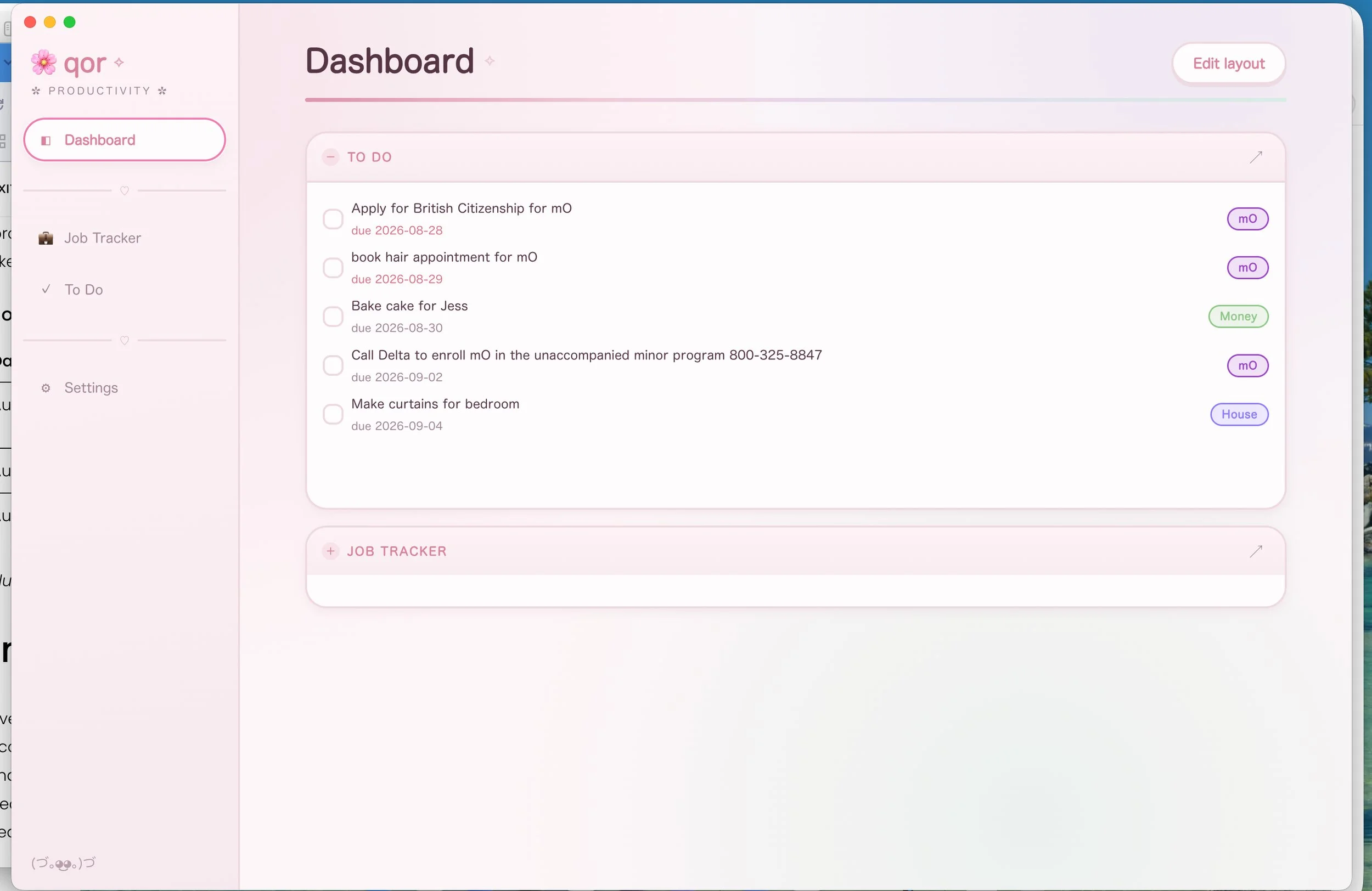
qor dashboard
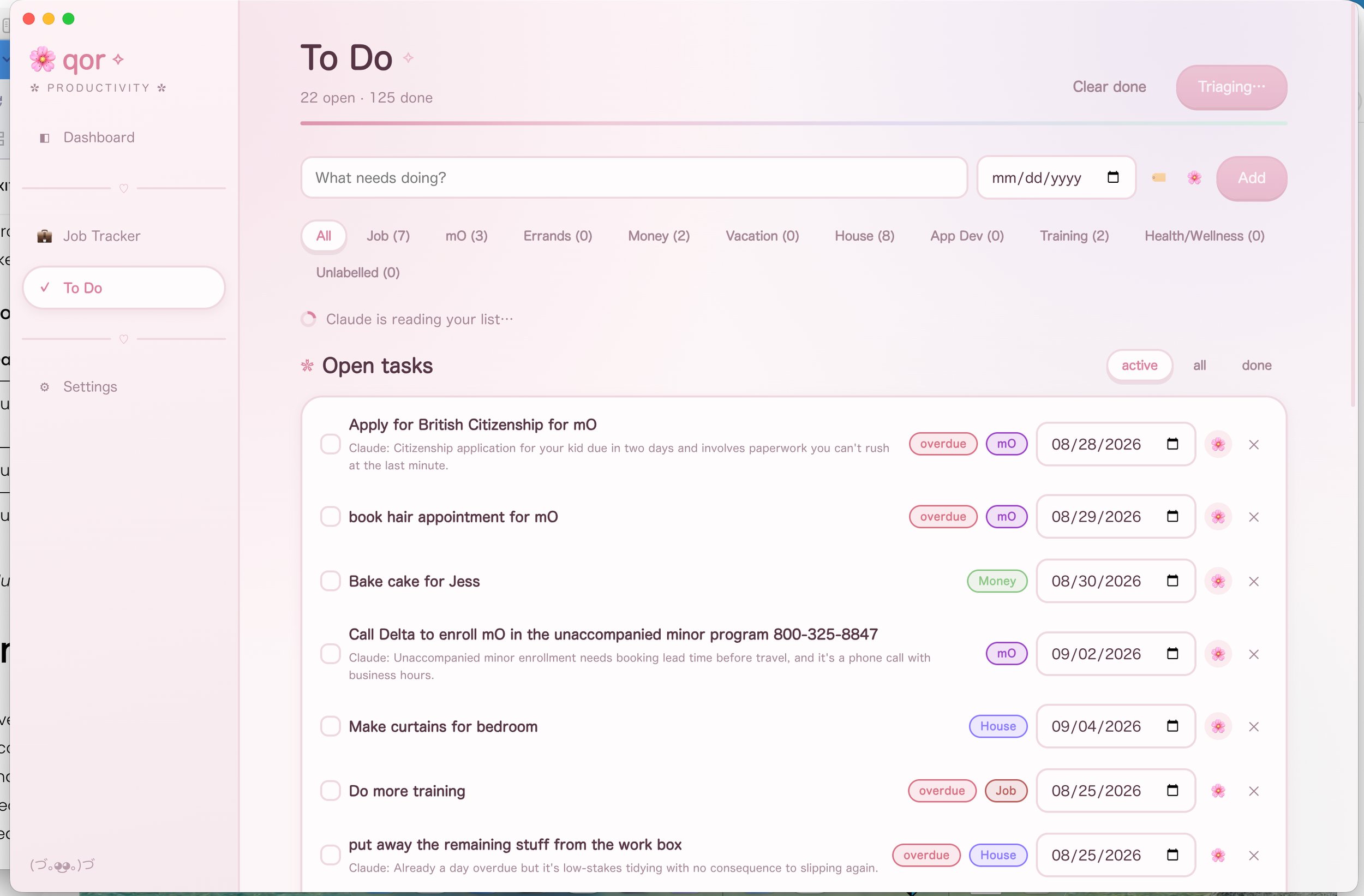
claude to do page before AI evaluation
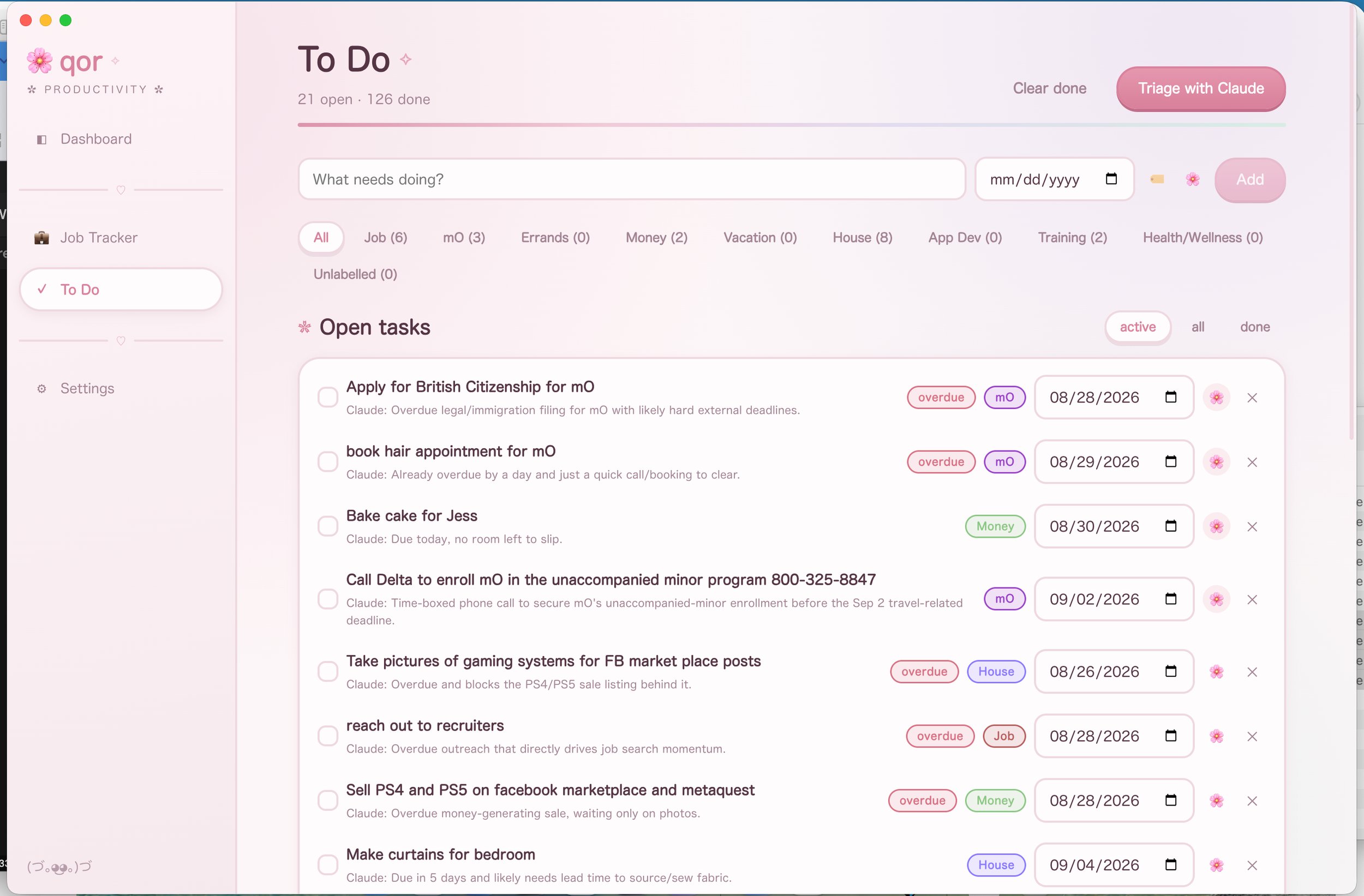
qor to do page after AI evaluation
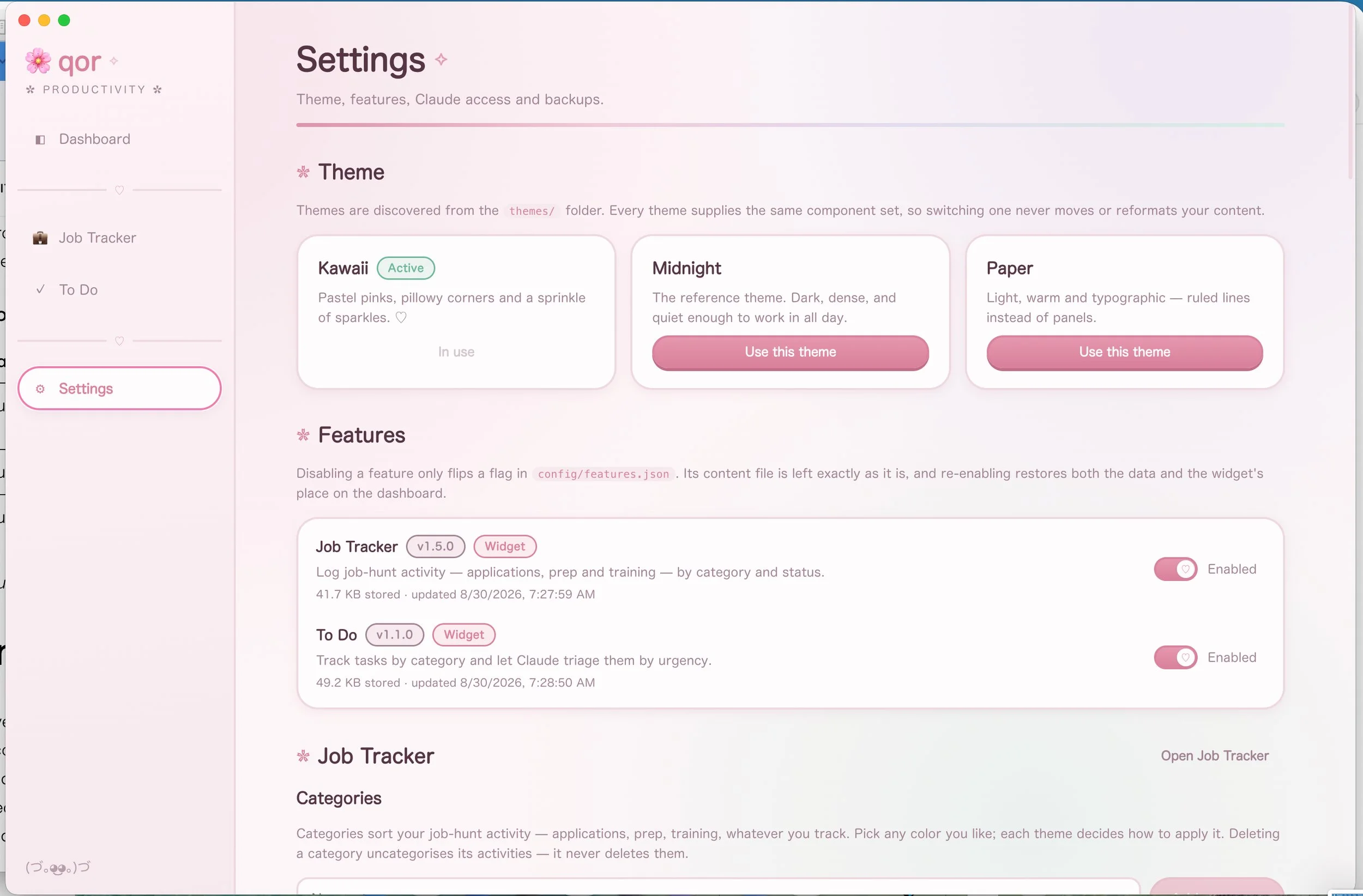
Settings Page
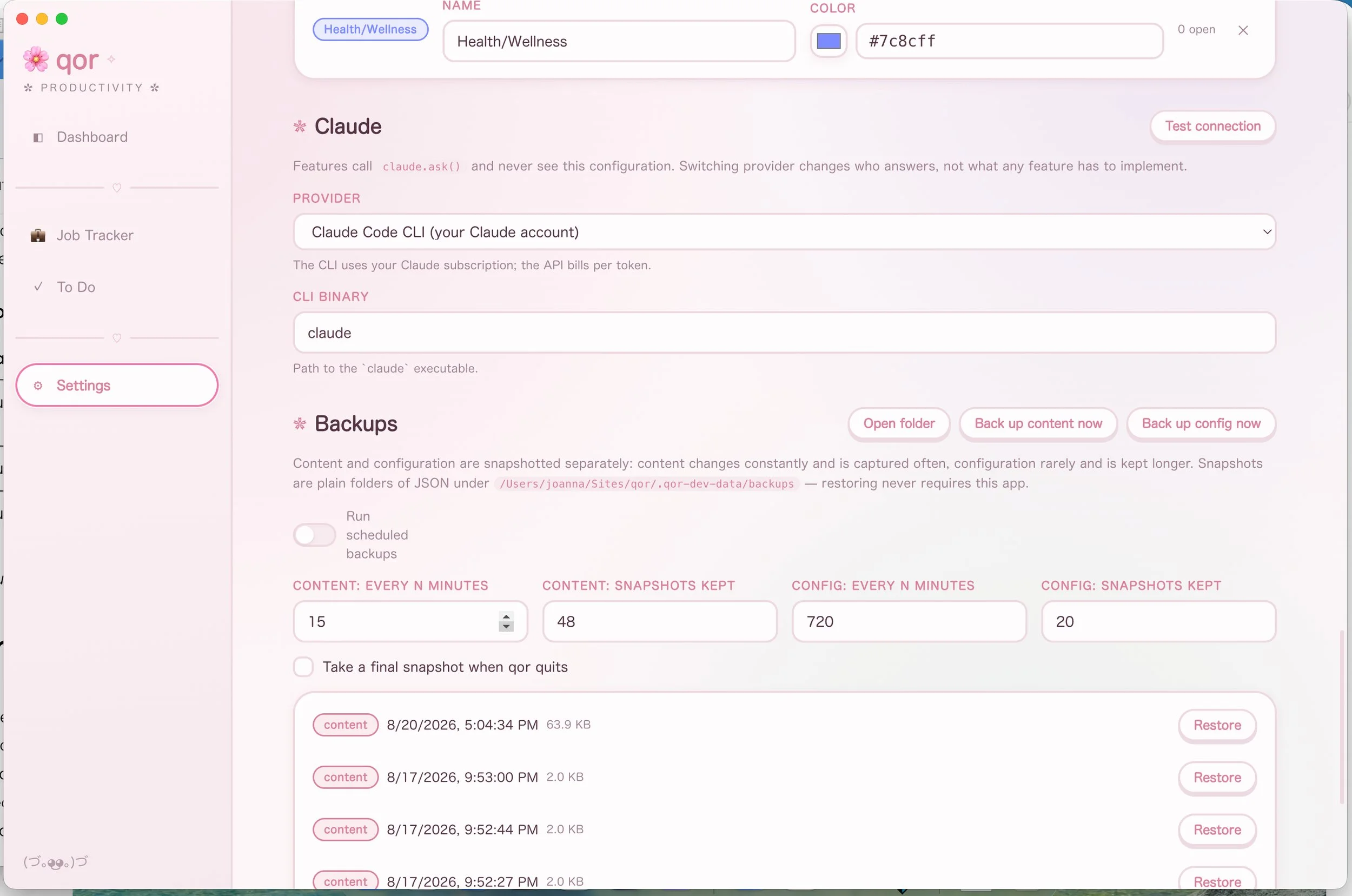
Settings Page