Digest
A feature inside qor.
Problem: I subscribe to what seems like dozens of really insightful email newsletters filled with useful tech and product roundups from across the sphere. I really would love to read every email in my inbox but it would take too much time. It ends up feeling more like a burden - to the point where messages remain unopened.
Solution: Let claude do the heavy lifting by
- Reading the email
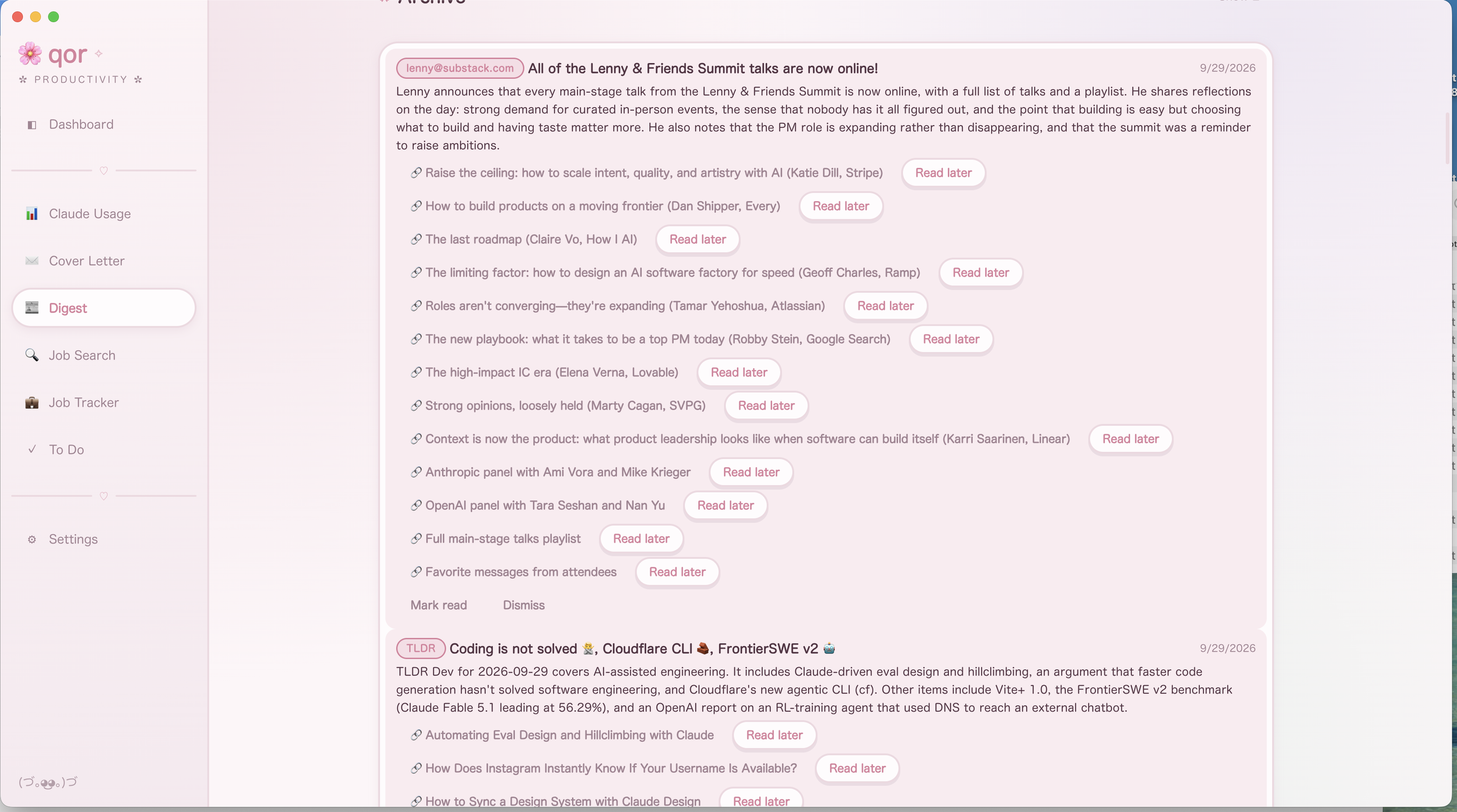
- Summarizing its key content
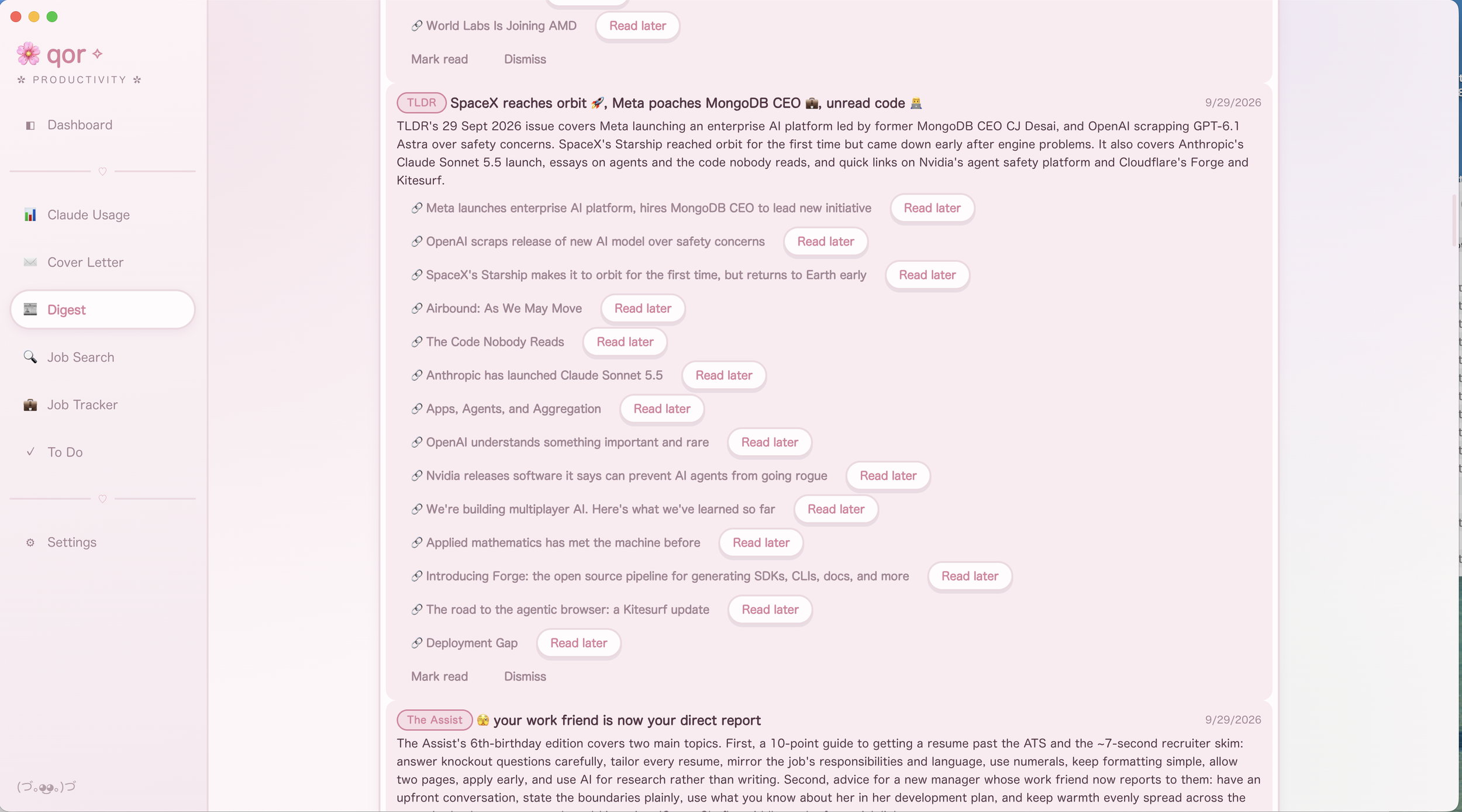
- Providing a list of links to articles in the email, and
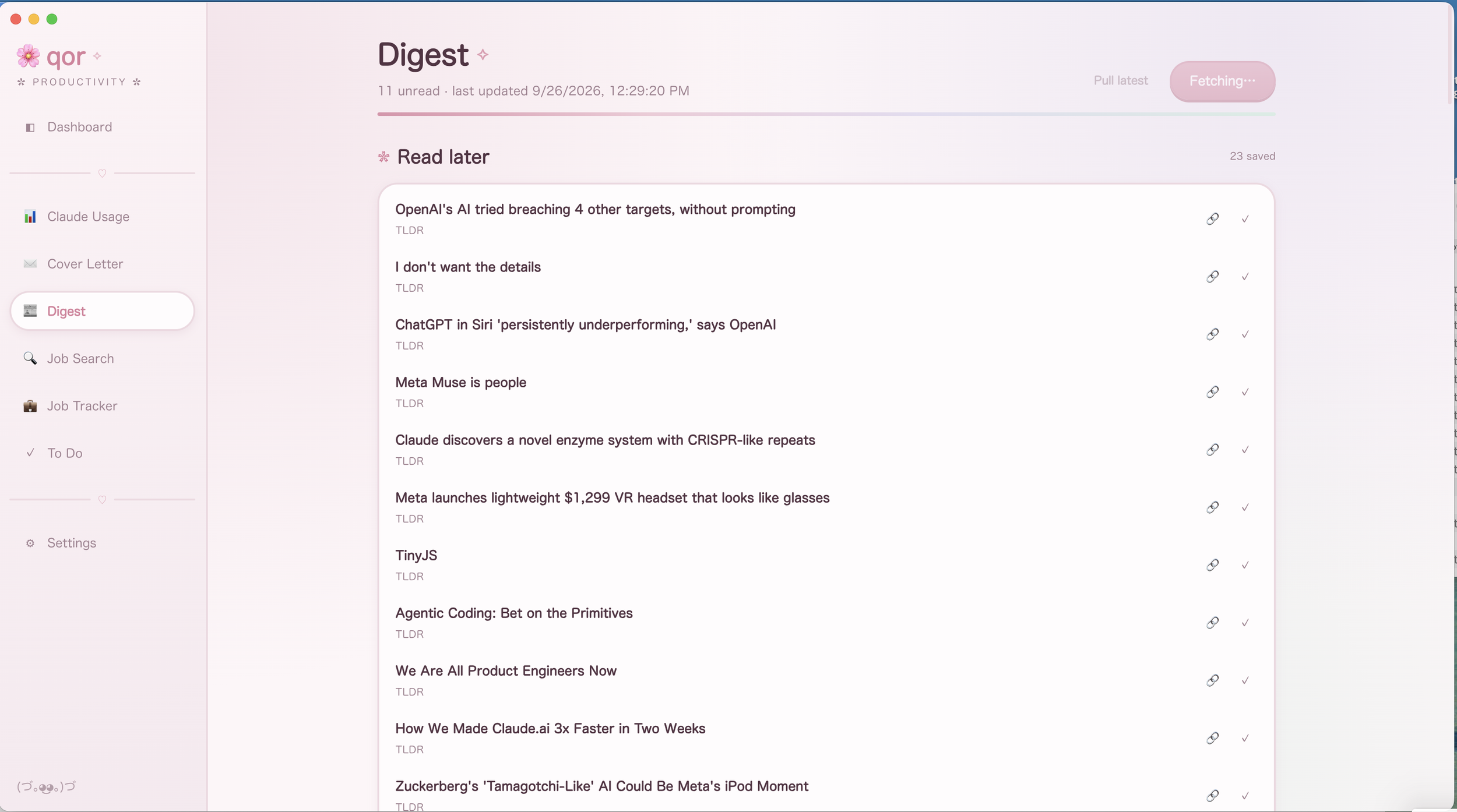
- Giving me a "save" option for anything I actually want to read so I never have to search through the email to find that article that looked interesting
Implementation
Digest is a feature in qor's extension sense, not a bolt-on app: it is a single file (features/digest/index.tsx) exporting defineFeature
Data model
DigestData has five parts:| Field | Holds | Notes |
|---|---|---|
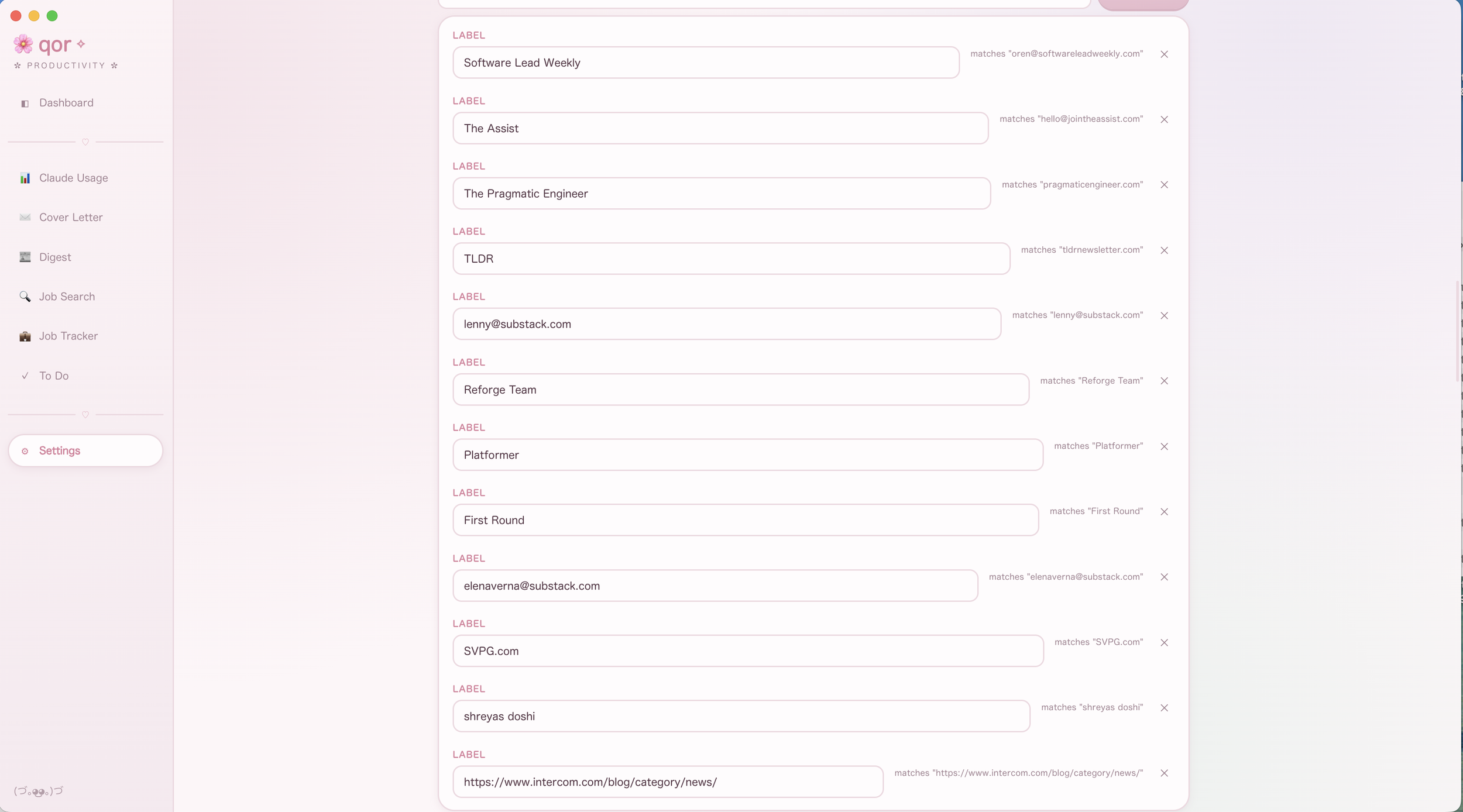
| sources | { id, match, label }[] | match is a case-insensitive substring test against the From header (an address or a domain fragment) |
| entries | { id, sourceLabel, from, subject, receivedAt, summary, articles[], read }[] | id is the Gmail message id — the dedupe key both ingestion paths key off of; capped at 300 |
| readLater | full snapshots of a saved article | kept even if the entry it came from is later dismissed |
| archive | readLater items plus archivedAt | capped at 300, so marking something read is never a silent delete |
| lastRun | ISO timestamp or null | the checkpoint the next Gmail search runs forward from |
Set Up
Gmail Client ID and secret and a list of subscriptions must be set up in the qor settings file before running the first ingest, which will pull in 14 days of messages on its first run. After that content can be pulled manually or on a set cadence.
Dual ingestion paths
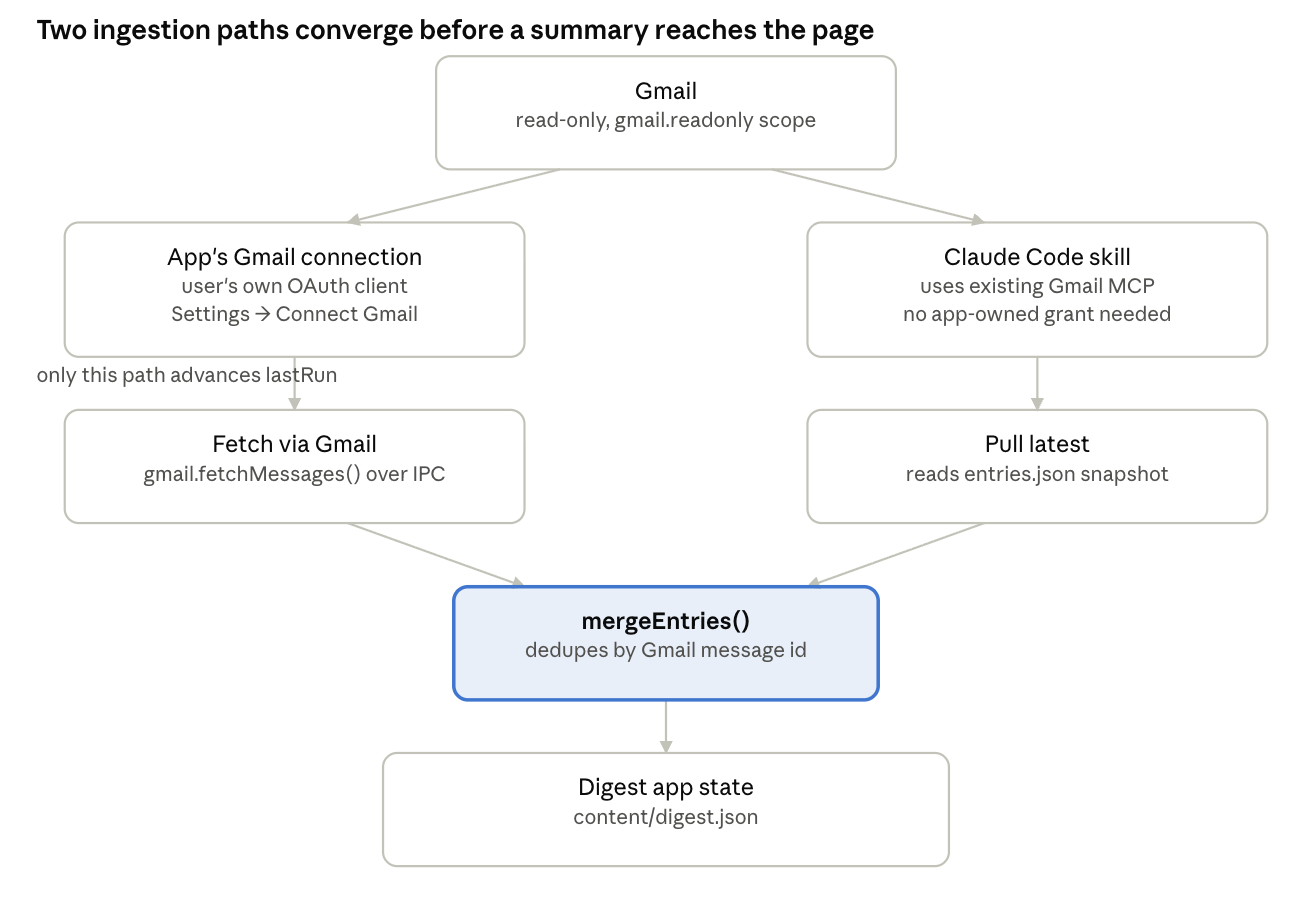
Digest can be filled two ways, and this is the feature's central design choice.
Path A: the app's own Gmail connection. The user creates their own Google Cloud OAuth client and connects it in Settings; the "Fetch via Gmail" button then calls gmail.fetchMessages() over IPC with the configured sources, the lastRun checkpoint (or a 14-day fallback on first run), and the ids already on hand to exclude. src/main/gmail.ts runs the actual read-only Gmail API search, and the renderer summarizes each result directly.
Path B: the Claude Code skill. For anyone who already runs Claude Code with a Gmail connector, resources/digest/.claude/skills/digest/SKILL.md does the identical search and summarization as a conversational skill instead: it reads the same content/digest.json for sources, existing entry ids, and lastRun, searches and summarizes through the Gmail MCP tools, and overwrites resources/digest/data/entries.json with the result. The app's "Pull latest" button just reads that file back (src/main/digest.ts → runDigest()) and merges in whatever entries aren't already on hand. Both paths funnel into the same mergeEntries() call, which is why the feature downstream never needs to know which one ran — with one asymmetry: only Path A is allowed to advance lastRun, since a Path B read finding nothing new is just as likely to mean the skill hasn't been run yet.
Summarization pipeline
Every message, regardless of which path fetched it, is summarized the same way: one call to claude.askJson() per message, against a fixed system prompt and a JSON schema requiring a summary string and an articles array of { title, url } pairs. The system prompt explicitly tells Claude to skip footer, unsubscribe, social and tracking-pixel links and to return an empty articles array when there genuinely are none — the schema's additionalProperties: false and required fields keep the model from wandering outside that shape.
Calls run sequentially with a progress indicator (Summarising N of M…) rather than in parallel, and each one is wrapped in its own try/catch: a single bad summary logs an error and drops that message's subject into a "couldn't summarise" list the user sees, but never aborts the rest of the batch. The Claude Code skill path does the same extraction conversationally and is given the identical instructions (summary, articles, what to skip), writing the result in the identical JSON shape by hand, since it is writing straight to a file rather than through a schema-validated API call.
Security and privacy
Digest's own Gmail connection requests only the read-only scope (gmail.readonly). It cannot send, label, or delete mail. It also never registers qor itself as a Google app: the user creates their own "Desktop app" OAuth client in their own Google Cloud project and pastes its Client ID and Secret into Settings, so no third party (including the qor developer) ever sits between the user and their inbox. The resulting refresh token, a standing credential to the mailbox, is encrypted at rest using Electron's OS keychain-backed safeStorage, falling back to plaintext only on a machine with no OS credential store, the same documented trade-off qor makes for the Claude API key elsewhere.
Content-wise, Digest keeps less than it reads: a message body is fetched (capped at 12,000 characters) only to produce a summary and its article links in that single request, and only the summary, links, and message metadata are persisted to content/digest.json. The raw body is not stored.
User experience
Digest implements all three views qor's FeatureHost contract allows. The Page is the working feed: a fetch/pull action bar, a collapsible "Read later" section, a collapsible archive, and the entry list itself, each entry offering its extracted article links, a read-later toggle, mark read/unread, and dismiss. The Widget is a compact dashboard tile — unread count, saved-for-later shortcuts, last-updated time — and, per qor's single-instance rule, it is never mounted at the same time as the Page, which is what keeps the widget's and the page's useFeatureData hooks from racing over the same content file. Settings holds everything configuration-shaped and nothing else: the Gmail OAuth client fields, connect/disconnect, and the source list editor, kept off the Page entirely so the working feed stays a reading list rather than a control panel.
Every visual element comes from useUI() — ui.Page, ui.List, ui.Badge, ui.Callout, and so on — with no literal color, font, or spacing in the feature file itself, so Digest re-skins automatically under any theme qor has installed. Limitations and future directions
The current implementation has a few known limits. Summarization is one Claude call per message with no batching, so a large first-time backlog (the default 14-day window) is slow to process. Source matching is a plain case-insensitive substring test on the From header; DigestFetchRequest already supports narrowing matches to messages that also contain given context terms (requireContext) or matching anywhere in the message rather than just the From header (matchAnywhere), but neither is yet exposed in the Settings UI. And there is a single global fetch cadence — no per-source override for a newsletter that arrives far more or less often than the rest.